


ProTool
4.4325.00 Reviews
App Specs
- Version
- 2.52.7
- Updated On
- License
- Free
- Downloads
- 100,000+
- Developer
- BimmerGeeks ProTool LLC
- Categories
- Auto & Vehicles
- Platform
- Android
Screenshots
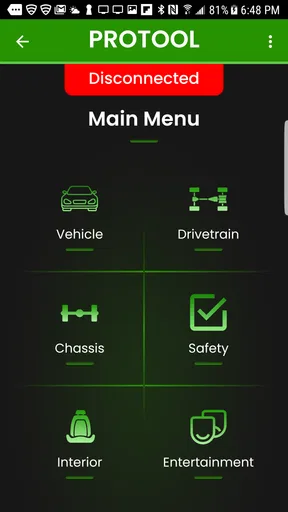
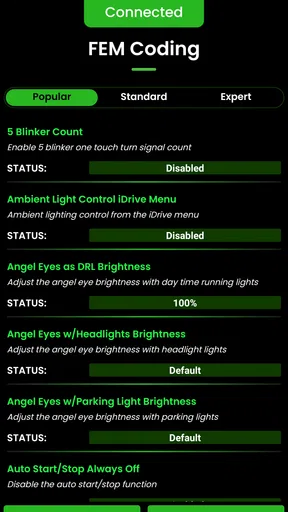
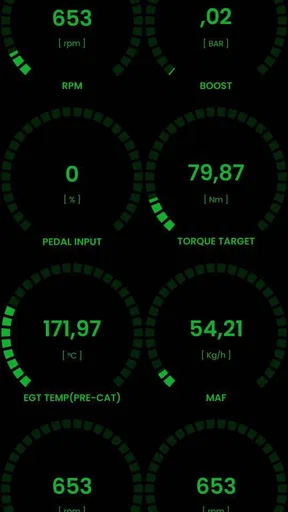
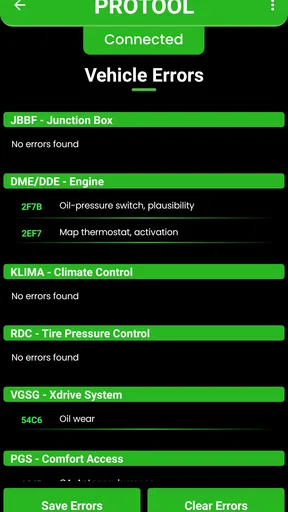
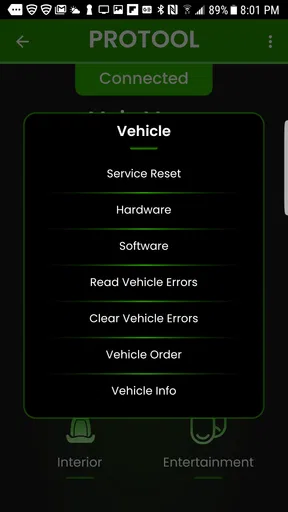
 Analysis by AppCompare
I came away from ProTool with a clear impression: it is not trying to be a casual car companion, and that is exactly why it can be useful. This free Auto & Vehicles app from BimmerGeeks ProTool LLC is aimed at BMW owners who want more than a warning light explanation. It presents itself as a serious diagnostic and coding tool, and my experience is that its value depends heavily on how comfortable you are with vehicle terminology, adapters, and making careful changes.
That distinction matters. A typical car app might help you track fuel, remember service appointments, or find a nearby repair shop. ProTool belongs to a different group. It is closer to a workshop instrument in your pocket, designed for owners who want to investigate electronic systems and personalize supported BMW functions rather than simply read a dashboard message. I would recommend it to a technically curious BMW owner, but I would not suggest treating it like a toy or pressing coding options at random.
What makes ProTool useful in real ownership
The strongest part of the app is the way it can make modern BMW ownership feel less dependent on a repair visit for every electronic question. When a warning appears, the first useful step is often not replacing a part immediately; it is understanding which control system reported the problem and whether the issue looks active, stored, or related to a previous event. A diagnostic tool can give that investigation more direction than a generic phone scanner.
In an everyday situation, imagine a BMW that develops an intermittent warning after a weak battery, a sensor connection, or a recent repair. Instead of guessing from the dashboard symbol, I would use ProTool as an information-gathering step, record the codes, and compare them with the vehicle’s recent history. That does not turn a phone into a mechanic, but it can help separate a persistent fault from a one-time event and make a conversation with a workshop more precise.
The coding side is the other reason this app stands out. BMWs often contain configurable behaviors that are not obvious from the normal owner controls. A dedicated BMW tool can be worthwhile for someone who wants to explore those settings in a more focused way than a broad, brand-agnostic scanner allows. The benefit is not simply having more menus; it is having a tool built around the logic of one manufacturer rather than trying to treat every vehicle as the same.
I also like the fact that ProTool is available without an upfront purchase price. That makes it easier to investigate whether it fits your vehicle and your working style before committing to a paid specialist solution. The app has reached over one hundred thousand installs and holds a 4.4 average from around one thousand ratings, which suggests that it has found a meaningful audience among BMW owners. Those figures do not replace personal testing, but they make the app look established rather than experimental.
A workflow that rewards patience
The safest way to approach ProTool is to treat every session as a small diagnostic project. Before changing anything, I would first identify the vehicle, connect carefully, scan without editing, and save or note the original state. That simple order is more important than learning every menu. If a setting produces an unexpected result, knowing what was there before gives you a way back.
Worth Reading Before You Choose

EA SPORTS FC Mobile 26 Is a Bigger Football Game, but It Takes Time

Flipboard Shows What News Apps Must Do Beyond the Feed

Switching to Android Auto Means Rethinking Your Driving Routine

Google Calendar Makes a Crowded Week Easier to Manage

Ludo King Makes the Most of the Minutes Between Plans

Baby Panda World Brings Quick Play to Modern Phones, but Its Game Library Feels Busy
A useful habit is to work on one change at a time. If you alter several coding choices during one connection, it becomes difficult to know which adjustment caused a new behavior. Making a single change, exiting the relevant screen, and checking the result keeps the process understandable. This is especially important when the goal is convenience rather than repair, because a small personalization project can become confusing if the baseline is not recorded.
Another non-obvious strength is the way a specialist tool can improve communication with a technician. I would not use a phone scan as an excuse to dismiss professional advice. I would use the information to describe symptoms more accurately: when the warning appeared, whether it returned after clearing, and which system seemed involved. That can save time during an initial discussion and reduce the temptation to approve unrelated work based only on a vague dashboard message.
There is also a practical distinction between reading information and acting on it. Clearing a fault code may remove a warning temporarily, but it does not repair the cause. If the underlying problem remains, the code can return. ProTool is most valuable when I use it to understand what deserves attention, not when I use it to make an annoying message disappear and assume the car is healthy.
Where the app demands more from the user
The main weakness is not that the app is too simple; it is that a powerful diagnostic and coding tool can be intimidating. Someone who expects a guided “plug in and fix my BMW” experience may find the process demanding. Vehicle electronics involve model-specific systems, connection stability, battery condition, and the consequences of changing a setting without understanding it. The app can support an informed owner, but it cannot remove the need for informed decisions.
That limitation becomes more serious when coding is involved. A failed or interrupted session can be more stressful than a normal scan, particularly if the user starts with low battery voltage, an unreliable connection, or no record of the original configuration. I would avoid experimenting when the car is needed immediately afterward. A quiet afternoon, a stable setup, and a written note of the original setting are much better conditions than making changes in a hurry before a trip.
The app is also not a substitute for mechanical diagnosis. A code can point toward a system, but it does not automatically prove that a particular component must be replaced. Wiring, power supply, connectors, software state, and related components can all affect what a vehicle reports. If you are not comfortable interpreting that difference, a professional diagnostic service is the better choice. ProTool may help you ask better questions, but it should not encourage parts swapping based on one line of text.
Connection equipment is another part of the experience that new users need to think about. The app itself is free, but using a phone-based BMW diagnostic tool generally depends on compatible hardware and a suitable vehicle connection. I would check the supported setup before planning a coding session, rather than assuming that any inexpensive adapter will provide the same experience. The cost and reliability of the complete setup can matter more than the download price.
It is also worth remembering that a tool designed for BMW owners is naturally narrower than a general scanner. If your household has several vehicle brands, a broad diagnostic device may be more convenient for basic code reading across all of them. ProTool makes more sense when BMW-specific depth matters more to you than universal coverage.
Who should use it, and who should skip it
I think ProTool is a strong fit for a BMW owner who enjoys understanding how the car works, wants to investigate electronic faults before visiting a workshop, or is interested in carefully managed personalization. It is particularly appealing to someone who already knows the difference between a diagnostic code, a symptom, and a confirmed repair. You do not need to be a professional technician, but you do need patience and a willingness to stop when something is unclear.
It can also suit an owner who maintains an older BMW and wants a more useful view of recurring electronic issues than a generic reader provides. In that situation, keeping a simple log of scan results, dates, symptoms, and repairs can turn the app into part of a long-term maintenance routine. The insight comes from patterns over time, not from one dramatic scan. A recurring code after the same condition is more informative than an isolated code read without context.
I would steer away from it if your only goal is to turn off a warning light, unlock a single convenience feature, or obtain a quick diagnosis with no learning curve. A repair shop may be faster, and a simpler scanner may be less intimidating for basic reading. I would also avoid using it as a first experiment on a vehicle that must remain dependable for work or travel. Learning on a non-critical project is less risky than making an unplanned change before an important journey.
For buyers comparing it with the usual alternatives, the trade-off is straightforward. A generic OBD reader is often easier for basic engine-code checks and may be more useful across multiple brands. A workshop-grade system can offer broader professional support and a more formal repair environment. ProTool sits between those choices: more focused on BMW than a universal reader, more accessible than relying on a workshop for every electronic question, but still dependent on the user’s judgment and setup.
Details worth knowing before the first session
The app is free and rated for Everyone, which lowers the barrier to trying it, but the age rating should not be mistaken for a promise that every operation is beginner-friendly. The responsibility comes from the vehicle work itself. I would read each screen carefully, avoid changing a setting whose purpose I cannot explain, and keep the car in a stable condition during any connection or coding activity.
Compatibility should be checked as part of the decision, not after downloading. ProTool has been available since August 2018, and the current version is 2.52.7, so it is an actively recognizable product rather than a brand-new listing. The minimum operating system is Android 4.1, which gives it broad device reach, although a supported operating system alone does not guarantee that a particular phone, adapter, BMW, or function will behave as expected.
My practical preparation would be simple: use a charged phone, avoid multitasking during the session, make sure the connection is secure, and write down the original values before changing anything. I would scan first, interpret second, and edit only when I understood the purpose and the possible consequence. If the vehicle shows symptoms that affect safety, drivability, braking, steering, or charging, I would treat professional inspection as the priority rather than trying to solve the problem from the app.
One especially useful trade-off is speed versus certainty. ProTool can make information available quickly, which is valuable when a warning appears far from a familiar workshop. But quick access can create false confidence. The app may tell you where to investigate; it does not make every result conclusive. The best users will combine its readings with service history, physical checks, and qualified advice when the issue is serious.
My verdict after looking at the whole experience
ProTool succeeds because it takes a focused approach to BMW diagnostics and coding instead of presenting itself as a generic car utility. I value that focus. It gives a technically minded owner a chance to investigate electronic behavior, approach a workshop conversation with better information, and personalize supported settings with more intention. The free entry point and broad Android compatibility make it easy to consider, while the developer’s specialist positioning gives the app a clear purpose.
Still, I would not recommend it blindly. The learning curve, need for suitable connection hardware, and risk of careless coding mean that the app rewards preparation. If you want a one-tap answer or a universal scanner for several brands, another option will probably suit you better. If you own a BMW and are willing to learn, document changes, and recognize when a professional is needed, ProTool can become a genuinely useful part of your ownership toolkit.
My recommendation is conditional but positive: download it if you want BMW-focused insight and are prepared to use it responsibly. Start with reading and recording, not experimenting. Used that way, ProTool is less about chasing impressive features and more about giving the right owner a clearer, more informed relationship with the car.
Pros
- Clear interface makes common tools easy to find
- Useful for quick tasks without needing a desktop computer
- Lightweight design helps it run smoothly on many devices
- Practical features can improve everyday productivity
- Simple controls make it approachable for new users
Cons
- Some advanced options may be limited compared with desktop tools
- Certain features may require permissions users prefer not to grant
- Performance can vary on older or lower-end devices
- The interface may feel basic for experienced users
- Updates or support may not arrive consistently
FAQs for ProTool
What is ProTool and what can I use it for?
ProTool is a utility-focused application designed to bring several practical tools together in one place. Depending on the version and platform, it may help with tasks such as device management, productivity, file handling, system information, or other specialized functions. Before downloading, check the official app description carefully, because the available tools and supported features can differ between Android and iOS versions.
Is ProTool free to download and use?
ProTool may be available as a free download, but some features can require in-app purchases, a subscription, or a premium upgrade. The free version may also include advertising or limitations on how often certain tools can be used. I recommend reviewing the pricing section in Google Play or the App Store before installing, especially if you need access to the complete feature set.
Is ProTool safe for my device and personal information?
As with any utility app, ProTool should be downloaded only from an official store or a trusted source. During installation, review the permissions it requests and consider whether they are appropriate for the functions you plan to use. Avoid unofficial modified versions, and check the developer name, privacy policy, recent reviews, and update history before providing sensitive information or granting access to files, storage, location, or other device features.
Does ProTool work without an internet connection?
The offline capabilities of ProTool depend on the specific tools included in the version you install. Basic device utilities may work without an internet connection, while cloud features, online databases, account synchronization, advertisements, or remote services may require access to the web. If offline use is important to you, review the app listing and test the main functions after installation before relying on it while traveling or in areas with limited connectivity.
Which devices are compatible with ProTool?
Compatibility depends on the operating system, device architecture, and minimum version supported by the developer. Check the Google Play or App Store listing to confirm the required Android or iOS version, available storage, and any hardware requirements. Some advanced functions may also be restricted on certain phones or tablets, so users should verify compatibility and read recent reviews from people using a similar device before downloading.


